Interface Settings#

Important

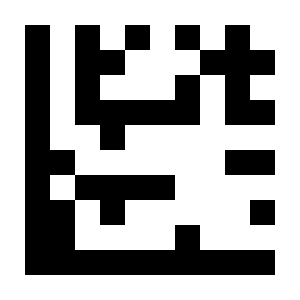
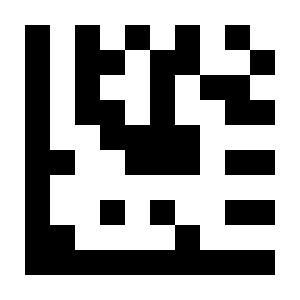
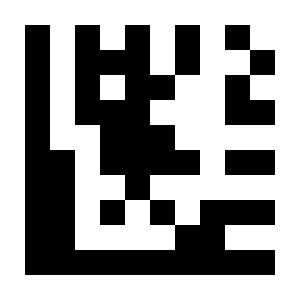
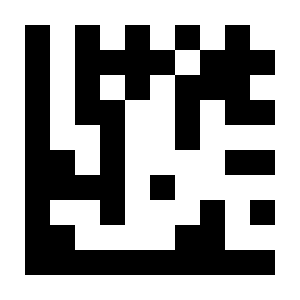
On this page, perform settings in the order: Start Setup -> Function Setting Barcode -> End Setup.

Output Mode#

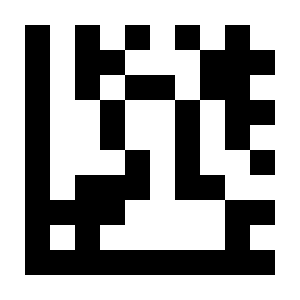
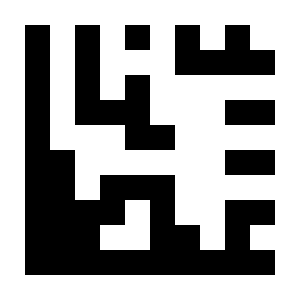
USB Keyboard#

../../_shared/_images/module-280/OP02.png

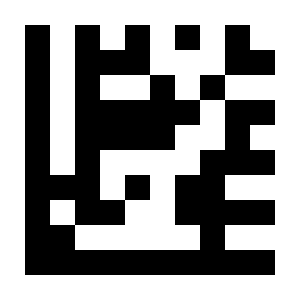
* USB Keyboard Output#

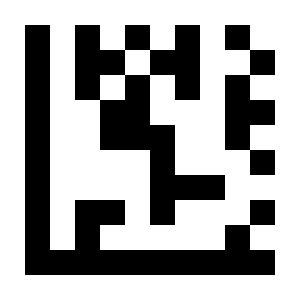
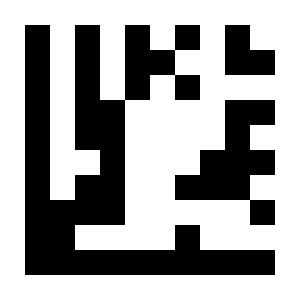
USB Virtual COM#

../../_shared/_images/module-280/OP03.png

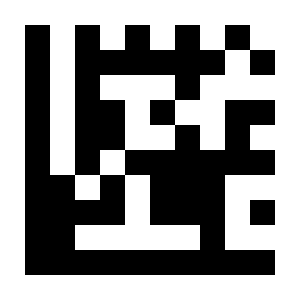
USB Virtual COM Output#

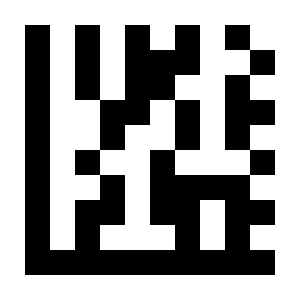
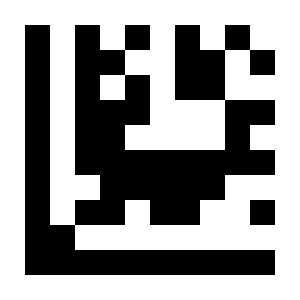
Serial#

../../_shared/_images/module-280/OP01.png

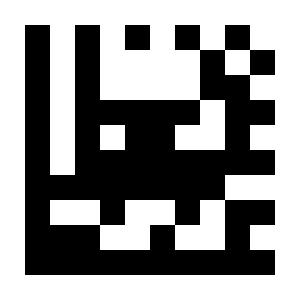
Serial Output#

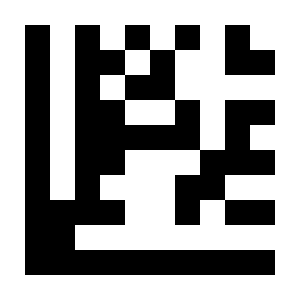
Serial Baud Rate#

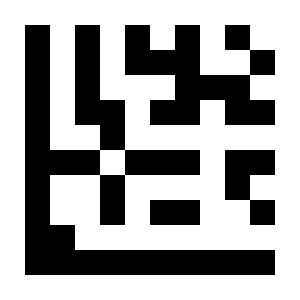
../../_shared/_images/module-280/BR01.png

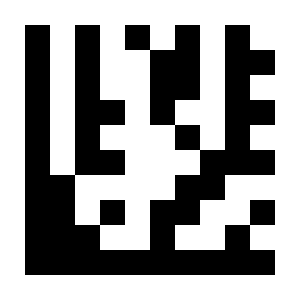
\* 9600#

../../_shared/_images/module-280/BR02.png

19200#

../../_shared/_images/module-280/BR03.png

38400#

../../_shared/_images/module-280/BR04.png

57600#

../../_shared/_images/module-280/BR05.png

115200#

../../_shared/_images/module-280/BR06.png

230400#

Serial Data Bits#

../../_shared/_images/module-280/UR01.png

7 Data Bits#

../../_shared/_images/module-280/UR02.png

* 8 Data Bits#

Serial Parity#

../../_shared/_images/module-280/UR03.png

* No Parity#

../../_shared/_images/module-280/UR04.png

Odd Parity#

../../_shared/_images/module-280/UR05.png

Even Parity#

Serial Stop Bits#

../../_shared/_images/module-280/UR06.png

* One Stop Bit#

../../_shared/_images/module-280/UR07.png

Two Stop Bits#