Keyboard Settings#
keyboardlayout#
In order to allow hosts in various countries to use the device, settings can be made by reading the “keyboard” of the corresponding country.

* USA# |

Belgium# |

Brazil, Portuguese (Brazilian ABNT)# |

Denmark# |

Finland# |

France# |

Austria, Germany# |
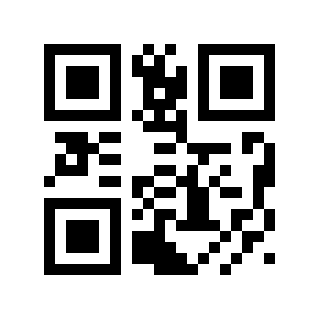
Greece# |

Hungary# |

Italy# |

latin america, south american countries# |

Netherlands# |

Norway# |

Poland# |

Portugal# |

Romania# |

Russia# |

Slovakia# |

Spain# |

Sweden# |

Türkiye F# |

Turkish Q# |

United Kingdom# |

Japan# |

Czech Republic# |

Thailand K# |

Ukraine# |

Arab Region 101# |

Croatia, Slovenia# |

Korea# |

Bulgaria# |

Common To Many Countries# |

Vietnam# |
Keyboard Type#
When the virtual keyboard is enabled, correct English letters, English symbols and numeric data can be output in any keyboard language mode. When using the virtual keyboard, you must ensure that the numeric keys on the small keyboard are enabled.

* Standard Keyboard# |

Virtual Keyboard# |
Keyboard Letter Case Conversion#
Letter conversion, when outputting barcodes with letter content, the output result can be configured to be all uppercase or all lowercase. For example, if the barcode content is: ab123dE, if you scan the “convert to uppercase” barcode, the output result is: AB123DE; if you scan the “convert to lowercase” barcode, the output result is: abc123de; by default, uppercase and lowercase are not converted.

* Normal Output# |

ALL CAPS# |

All Lowercase# |

Opposite Case# |
Keyboard Character Transmission Time Interval#
We can improve compatibility and reduce the probability of data loss by setting the transmission time interval between keyboard characters. Time interval setting range: 0-65535ms, default value: 5ms.
Scan the “Character Transmission Interval” Parameter Barcode

Character Transmission Time Interval#
Scan the “Numeric Barcode”. For example, if the duration is 10ms, scan 1,0; if the duration is 100ms, scan 1,0,0.
Scan the “OK” Parameter Barcode to complete the setup.

Sure#
Quick Setting Of Keyboard Character Transmission Time Interval#

0 ms# |

*5ms# |
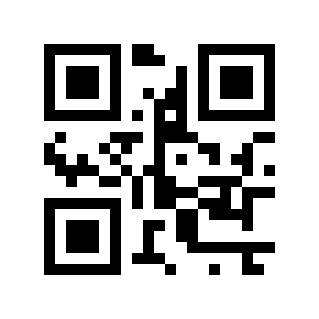
10 ms# |

20ms# |

30ms# |

50 ms# |
Keyboard Control Character Output Mode#
Control character (0x00-0x1F) output mode selection in ASCII code
Output function keys: Control characters are used as custom function keys. For specific functions, see ASCII Code Comparison Table.
Output CTRL key combination: CTRL key combination mode outputs control characters. For specific functions, see ASCII Code Comparison Table.
Output ALT+numeric keys: supports full control character output in Chinese environment. For specific functions, see ASCII Code Comparison Table.

* Output Function Keys# |

Output CTRL Key Combination# |

Output ALT+numeric Keys# |